
Settings & Integrations
Manage your account settings, API keys, and external integrations in the Settings panel.
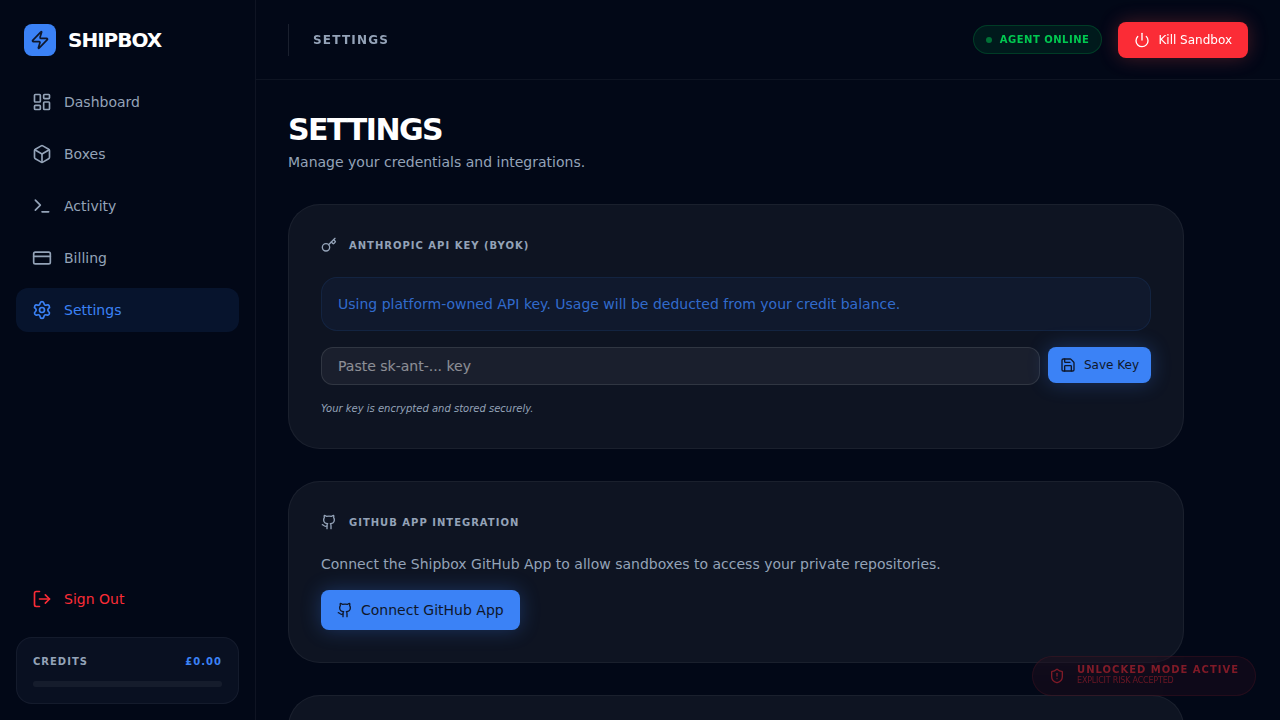
Anthropic API Key (BYOK)
By default, Shipbox uses platform-owned API keys, and usage is deducted from your credit balance. You can provide your own Anthropic API key to use your own quota.
- Navigate to Settings.
- Paste your
sk-ant-...key in the input field. - Click Save Key.
GitHub Integration
Connect the Shipbox GitHub App to allow your sandboxes to access and clone private repositories.
- Click Connect GitHub App.
- Follow the authorization flow on GitHub.
- Once connected, your agents can pull code directly from your private repos.
Box Secrets Vault
The Box Secrets Vault allows you to securely store credentials (like API keys, database connection strings, or environment variables) that your agents can use within their sandboxes.
- Encrypted Storage: All secrets are encrypted at rest using AES-GCM with a platform master key.
- Redacted Display: Secrets are never shown in full in the UI or sent to the sandbox directly. They are proxied through a secure gateway.
- Auto-Rotation Support: You can revoke individual secrets or the entire vault at any time.
- Navigate to Dashboard (or Settings).
- Click Add Secret.
- Provide a name (e.g.,
STRIPE_SECRET_KEY) and the value. - Your agent will now be able to access this secret via the Box Proxy.